


Although widely used for piracy, Torrents have their place in the legit world too. I use them quite often to download larger Linux distributions as well as other large open source projects. Sometimes these will take an hour or two to complete…but I want to know when it’s done without leaving the sound on my desktop turned up to 11 (or 12, or 30). So I set out to use some Bash scripts, daemons, and Pushover to complete this task.
What you’ll need
- Linux Operating System (Not sure how to do this with Windows but OS X should be fairly similar)
- Transmission Torrent Client
- Pushover Mobile App (iOS / Android)
Create a Pushover Application
First you’ll need an application in your Pushover account to bridge Transmission with the Pushover Mobile app. Visit https://pushover.net/apps/build and name this app whatever you like. Here’s what mine looks like:
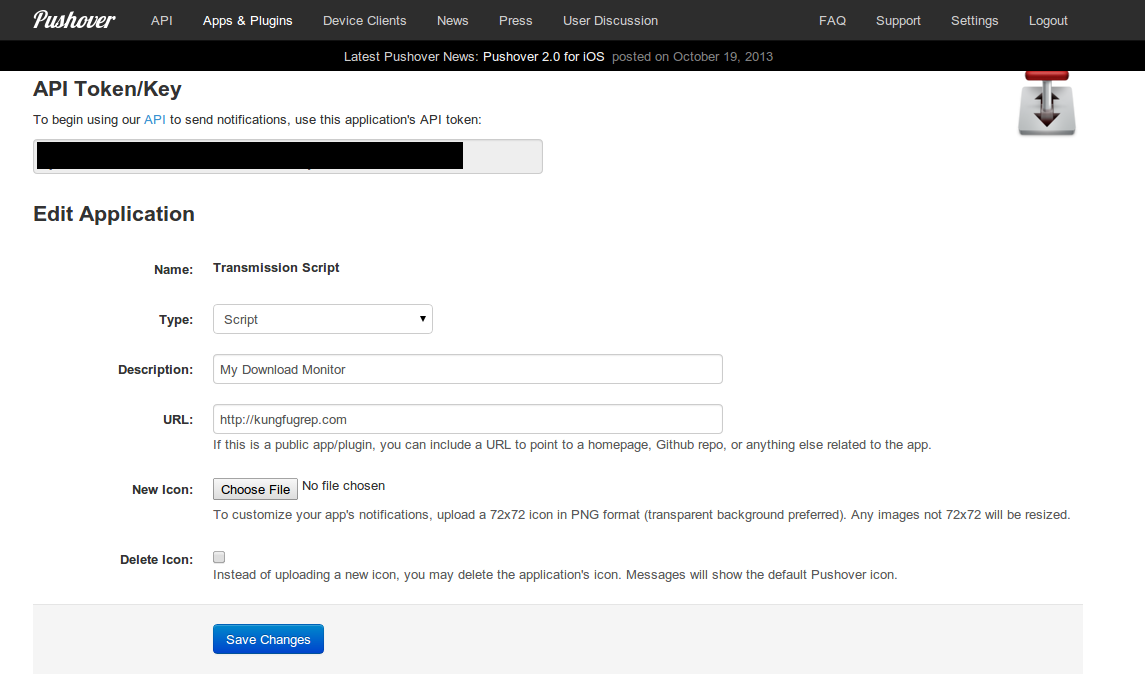 Setup a Pushover Application
Be sure to note the “API Token/Key” and your “User Key” (available when you first login to Pushover.net), a we’ll need those in a moment.
Next up, the Script
The script is pretty small, but is what connects Transmission to your Pushover App that we just created. Here’s the script, and then I’ll explain a little:
#!/bin/sh /var/lib/transmission-daemon/info curl -k https://api.pushover.net/1/messages.json -F token=[API Token/Key from above] -F user=[Pushover User Key] -F title=“Download Complete” -F message=“$TR_TORRENT_NAME completed”
/var/lib/transmission-daemon/info
This line loads up some basic information for us about the download that completed. It’s what allows us to use $TR_TORRENT_NAME to get the name of the torrent.
That big ole’ curl command calls to the Pushover API and passes in our application token, user key, a title, and a message.
I typically store this file in my home directory in a path something like:
/home/[username]/.scripts/download-complete.sh
After that you’ll need to make sure you make this an executable script:
$chmod +x /home/[username]/.scripts/download-complete.sh
Last, tell Transmission about the script
Transmission has a handy little preference in the “Downloading” tab that lets you “Call script when torrent is completed”. Just supply this with your newly created download-complete.sh file, and you are all set. Next time a download completes, you should get a push notification to your mobile device about it.