


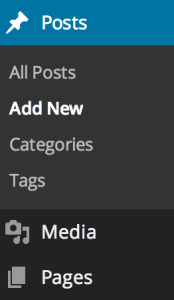
Recently I was working on a ratings website, and needed a quick way to consistently generate the current star ratings of the items. Many of you are familiar with the ‘dashicons’ font that is shipped with WordPress, but if you aren’t, it’s a simple icon-font available to theme and plugin developers. You’re probably more familiar with it than you think, it’s used to add icons to the WordPress admin dashboard menu:
There are 3 icons I was interested in, and they are the 3 stars:

With those icons, I could generate something that looked like this:

This function allows accuracy to the closest 1/2 star. You simply pass in your rating number, and it will return you HTML output for the stars.
function kfg_generate_stars( number ) { // Get the whole number whole = floor( $number );
// Find out if our number contains a decimal
number - $whole;
total = 5;
$output = ”;
// Generate the filled stars
while( whole ) {
i++;
}
// Generate the half star, if needed
if ( fraction > 0 ) {
output .= '';
$i++;
}
// Until total is met, generate empty stars
if ( total ) {
while ( total ) {
i++;
}
}
return $output;
}
As a note, if your theme doesn’t include dashicons in the front end (by default it’s only in the Admin), you can use the following to add it:
function kfg_load_dashicons() { wp_enqueue_style( ‘dashicons’ ); } add_action( ‘wp_enqueue_scripts’, ‘kfg_load_dashicons’ );
To get a full listing of items included in the Dashicons font, visit http://melchoyce.github.io/dashicons/
Image courtesy of Scott Cresswell via Flickr